
Skip to main content
How Can We Help?
How to access Spincube User Interface
To access the Spincube User Interface from your computer or smart device, follow the steps below.
1. Power On the System
First, turn on the Spincube system:
- Switch on the main power supply using the rocker switch located on the back of the unit
- Turn on the pump(s) using the corresponding rocker switch(es), also located on the the back
After powering on, the system will automatically perform a self-diagnostic check.
➜ The initialization is complete when the light inside the chamber turns on and then switches off
Please wait until this process finishes before proceedin
2. Open the User Interface in a Browser
Once the system is ready:
- Open a web browser on your device
(e.g., Chrome, Firefox, Safari, etc.) - Locate the URL printed on the sticker at the front of the Spincube chamber (e.g. http://spincube000.local)
- Type this URL into the browser’s address bar and press Enter
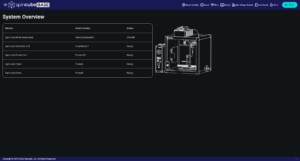
The Spincube User Interface (see below) will load in your browser.
3. Access via QR Code (Optional)
If you are using a smartphone or tablet:
- Scan the QR code printed on the same sticker as the URL
- This will automatically open the Spincube User Interface in your device’s browser
📌 Note
Make sure your device is connected to the same network as the Spincube system to ensure proper access.