Skip to main content
How Can We Help?
Exporting historical process data
Accessing Data Export
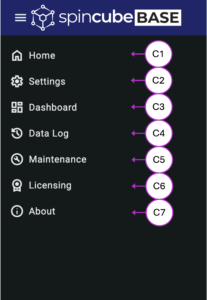
Data export is available directly within the Data Log view (C4), where recorded process parameters are displayed as graphs.
Exporting Data
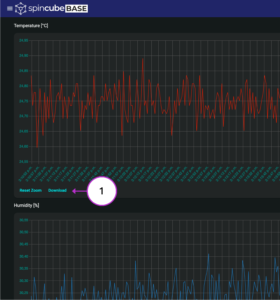
To export data from a selected graph:
- Locate the desired graph in the Data Log interface
- Click the Download button (1) associated with the graph
- The data will be automatically saved to your computer
File Format
-
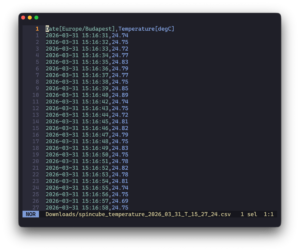
- Exported data is saved in .csv format (see below)
- This format can be opened with common tools such as:
- Microsoft Excel
- Google Sheets
- Your favourite data analysis software